Problem: When a user clicks a button the response may be slow
Problem:
When a user clicks a button the response may be slow.
Solution:
1. Display a loading indicator
2. Set aria-disabled="true" on the button (avoid disabled since it's unfriendly to screen readers)
3. Ignore additional button clicks while loading is in progress
4. Consider changing the label to clarify what's happening
These details are easy to overlook.
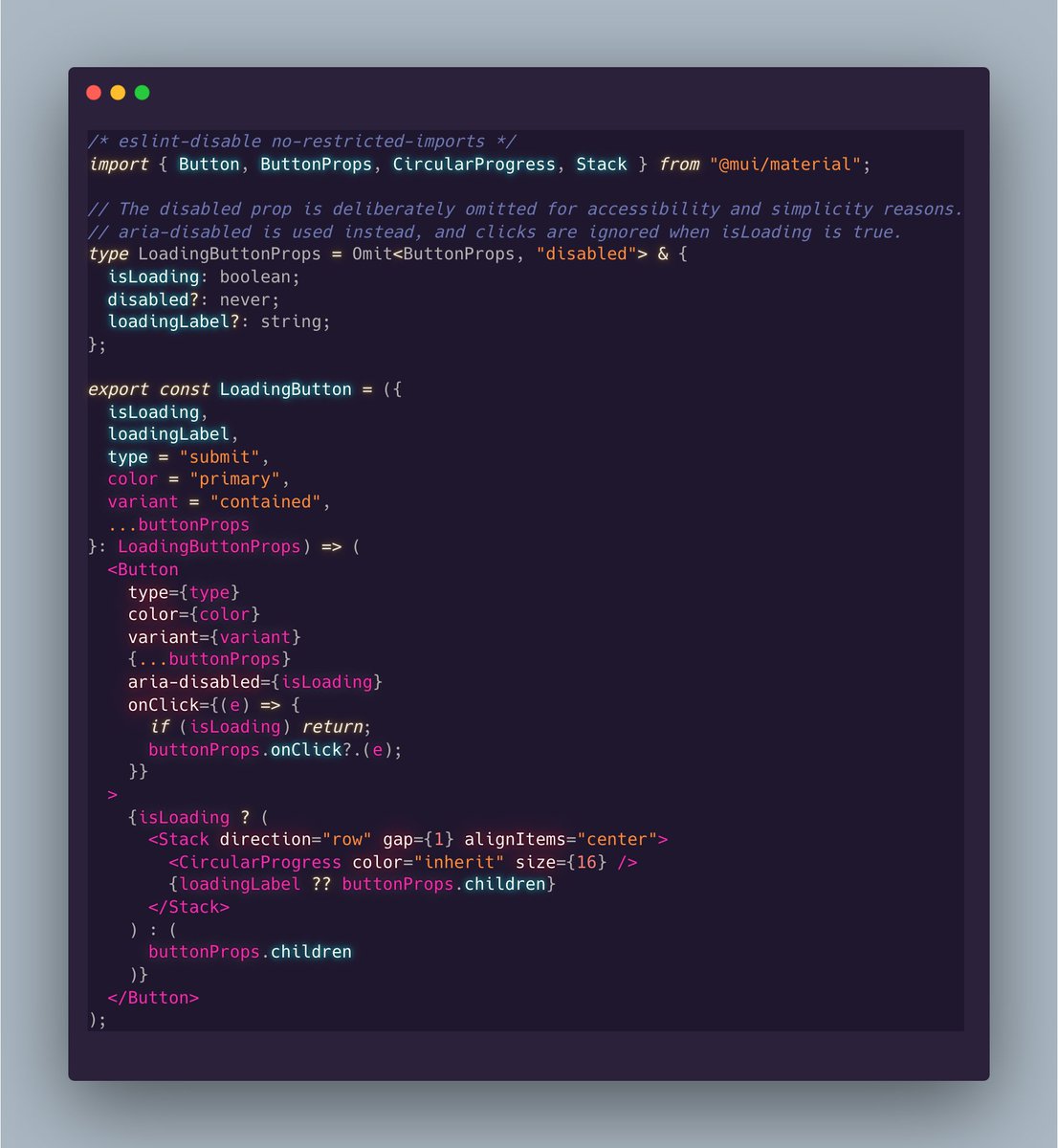
Here's a React component that implements these ideas using MUI.
The code is in the Alt tag.
Usage:
<LoadingButton loadingLabel="Saving...">Save</LoadingButton>
Some people don't like the button changing size. That's fine.
Consider this:
1. Reserve space by making the button's width account for the spinner.
2. Don't change the visual label. Set an aria-label while loading so screen readers read the new label.