I’m a big Cypress fan, so I’m shocked to say this: I just switched to...
I’m a big Cypress fan, so I’m shocked to say this: I just switched to @playwrightweb.
Here are 16 reasons I switched:
1. WAY Faster. ~2X faster with 1 core. ~6x faster with multiple cores (uses multiple workers)
2. Tests multiple browsers in parallel.
1/5
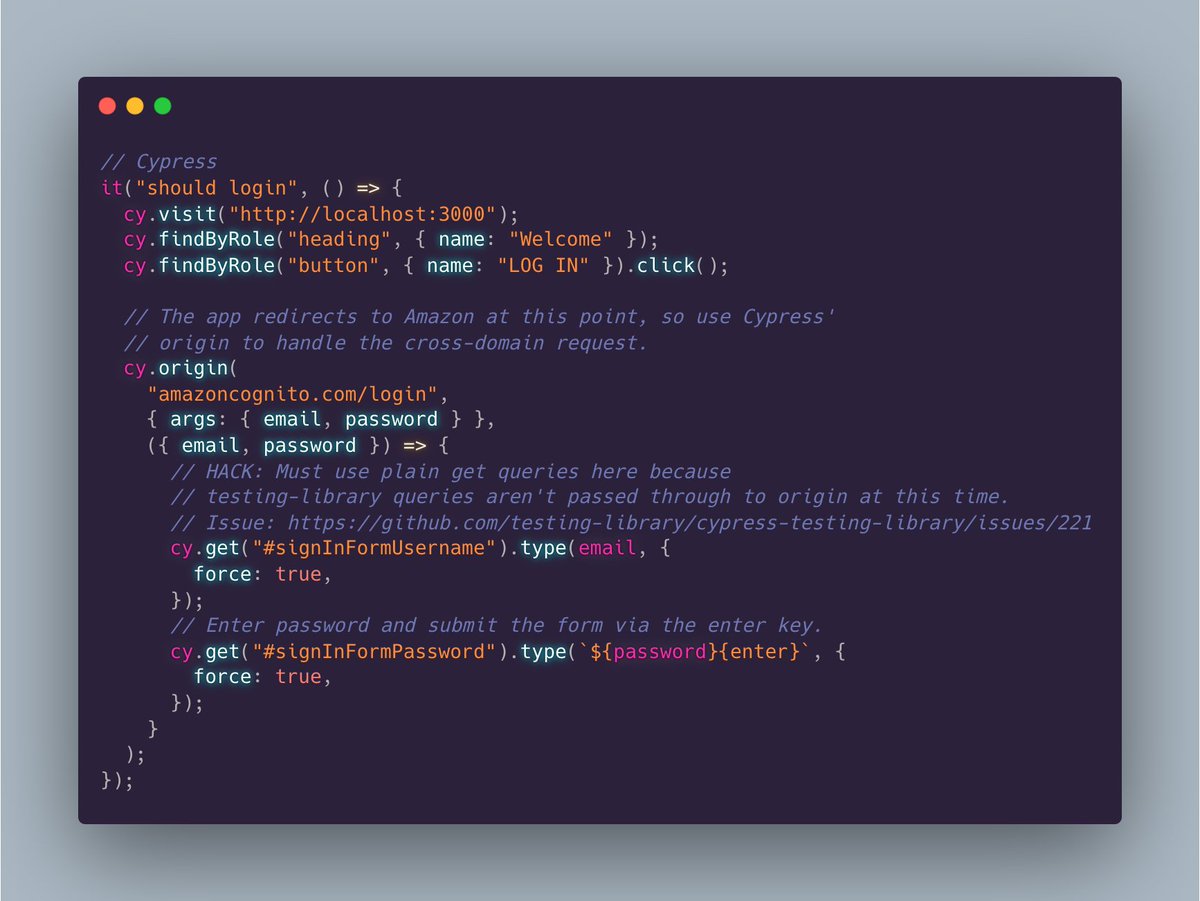
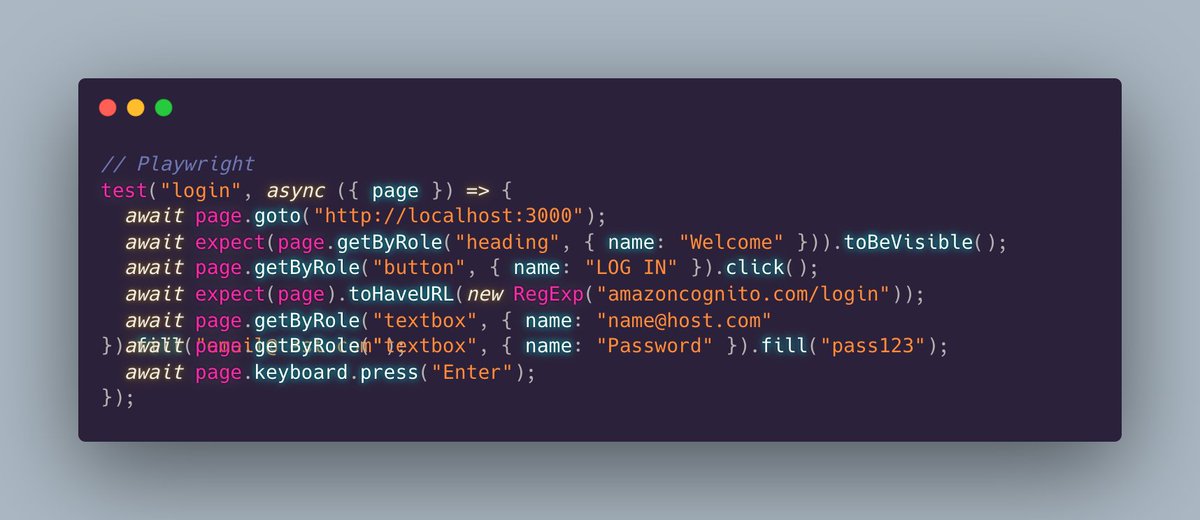
Comparison:👇
3. Uses browser automation APIs, so it's efficient.
4. Simple config, with thoughtful defaults.
5. No globals.
6. Uses plain async/await.
7. Elegantly tests across domains. No extra complexity required. (see pic in first tweet)
8. Supports TypeScript out of the box.
2/5 👇
9. Built-in support for running the app before the tests.
10. Rich built-in locators including testing-library style queries, and layout-based selectors like near, below, above, right-of, etc.
11. Persist session data for reuse across tests with 1 line of code.
3/5 👇
12. Integrated VSCode debugging.
13. Excellent VS Code test runner extension. Just click a single test or a group of tests to run them.
14. Automatically scrolls elements into view.
15. Write tests in JS, Python, Java, or .NET.
16. Supported by Microsoft staff.
4/5 👇
I tried Playwright awhile back. I found I preferred Cypress at that time. But, Playwright has gotten WAY better. The docs are solid. And the install experience is smooth.
Cypress is still a great tool, but Playwright just became my new favorite. 🔥
</thread>
Oh, I mentioned performance up above, so here's a specific comparison.
I converted 103 Cypress tests to Playwright.
Here are the results running the same tests on a MacBook Pro:
Cypress: 2:15
Playwright: 20 seconds 🔥
Tip: If you want to migrate from Cypress to Playwright, you can use AI to do so: 🤯
https://contra.com/p/PWBcPYZc-rewriting-tests-from-cypress-to-playwright-using-gpt-3
Honestly, I didn't bother, since I found a simple find/replace got me 90% there because I was already using @TestingLib with Cypress, so my Playwright tests were similar.