🚨 Web developers 🚨 <a> and <button> are often misused
🚨 Web developers 🚨
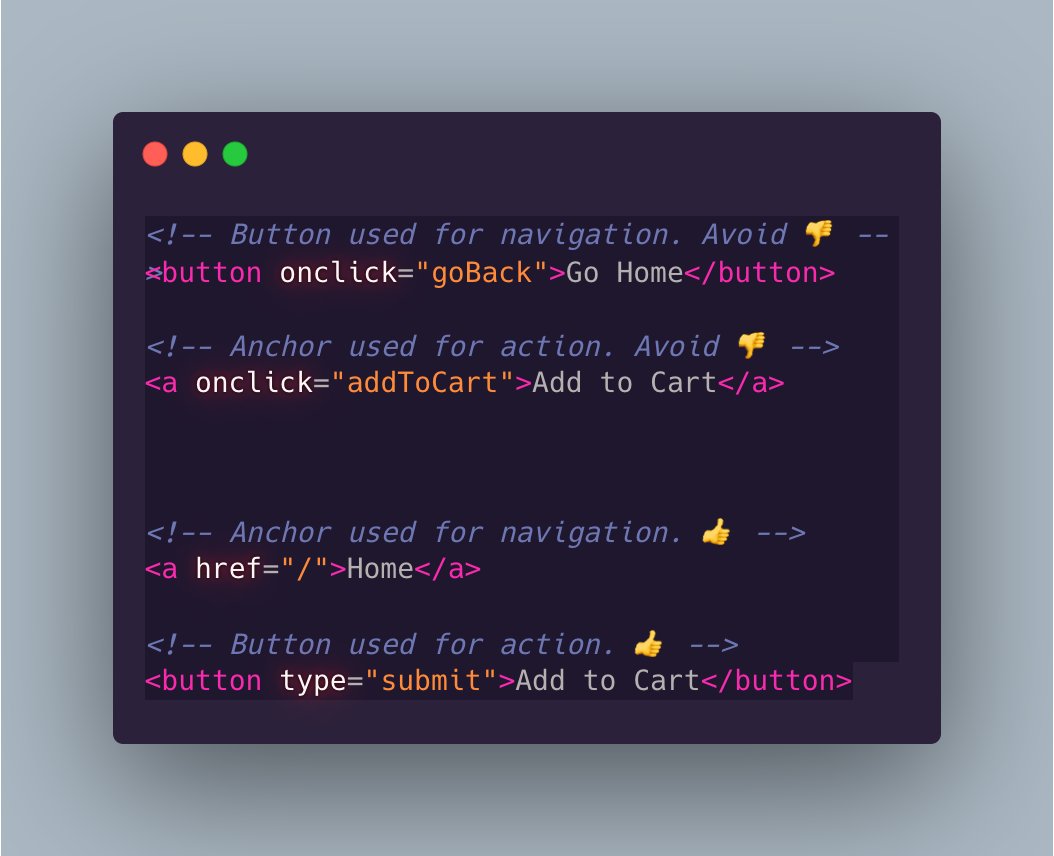
<a> and <button> are often misused. They have different purposes.
<a> is for navigating
<button> is for actions
This leads to 2 common mistakes:
1. Using anchors for actions.
2. Using buttons to navigate.
1/4 👇
4 reasons this matters:
1. Usability
Users expect links to take them somewhere.
Users expect buttons to trigger actions.
2. Accessibility
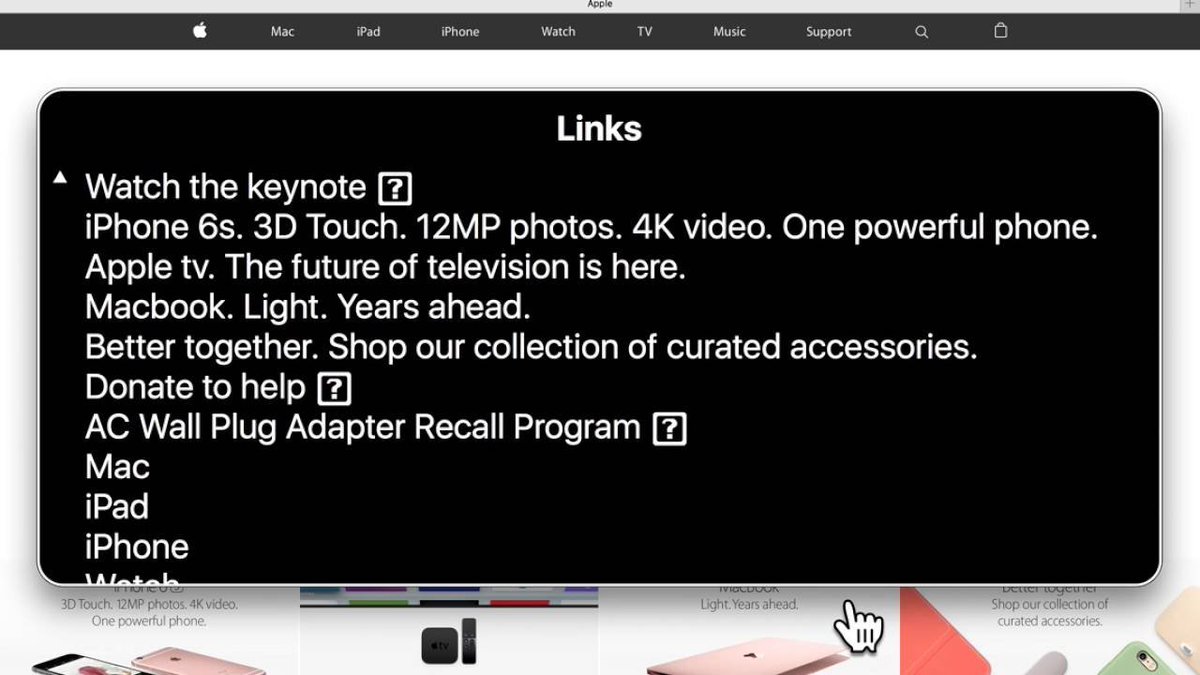
Screen readers announce "button" and "link". They also group links in the rotor. Only anchors show in the rotor's "Links" list.
2/4
3. Keyboard user support
Anchors are triggered via the enter key.
Buttons are triggered via the enter key or spacebar.
Submit buttons are triggered when the enter key is pressed while any input within a form is focused.
Keyboard users expect these behaviors.
3/4
4. Robustness
An anchor can navigate without JavaScript.
A button can submit a form without JavaScript.
So, both work before JS has even loaded. And, they both work even if JS fails to load! They're instantly interactive.👍
4/4
Update: Some have asked "what's the right tag to use for an action that also navigates?" (For example, a logout button that redirects to home)
Answer: Use a button. The user clicks a button to trigger an action. In this example, the action is "Log me out".
A simple metric to know if an anchor or a button is the right choice:
If I can click it repeatedly and all it does is navigate me somewhere, without side-effects, use an anchor.
Otherwise, use a button.