Tired of getting "could not resolve" errors when running npm install
Tired of getting "could not resolve" errors when running npm install?
This is typically caused by a package that needs to update its peerDependencies (to specify support for newer versions).
Solution: Add an overrides entry to package.json.
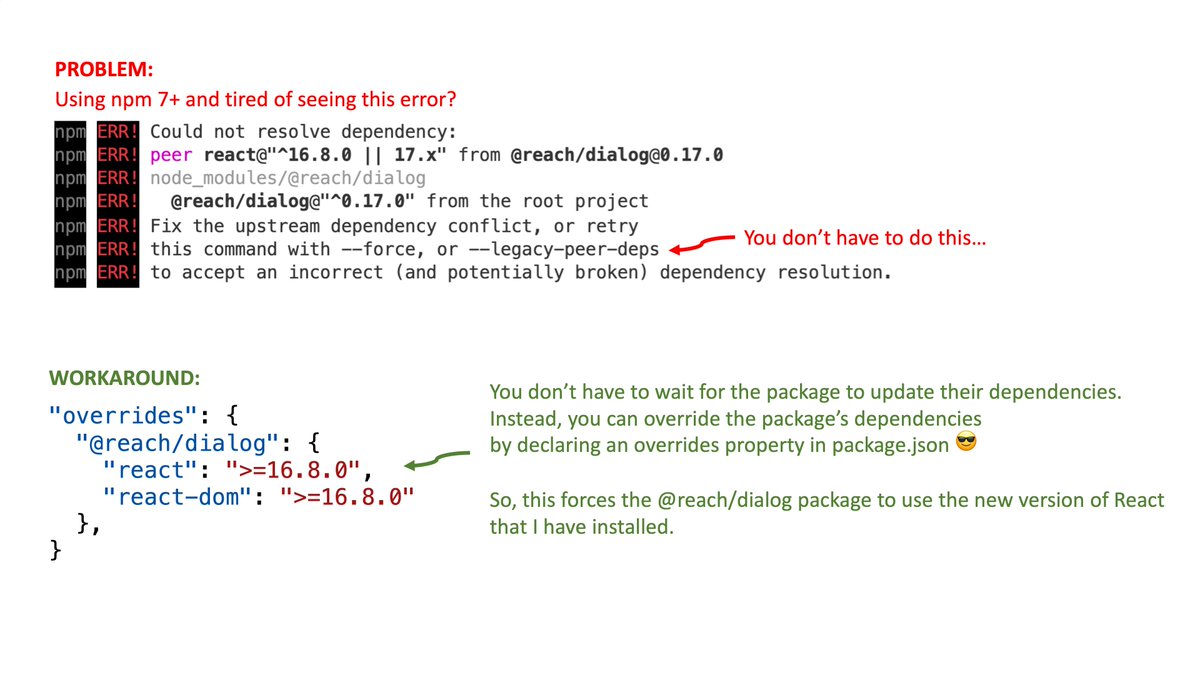
Note: This is technically a "risky" fix. The package is saying "I don't officially support the fancy new version of this peerDependency you're using.
Declaring "overrides" is a way of saying "Chill out npm, I tested and the package works fine with this newer dependency".
Oh, and here's a link to the docs on the overrides feature with more info: https://docs.npmjs.com/cli/v8/configuring-npm/package-json#overrides
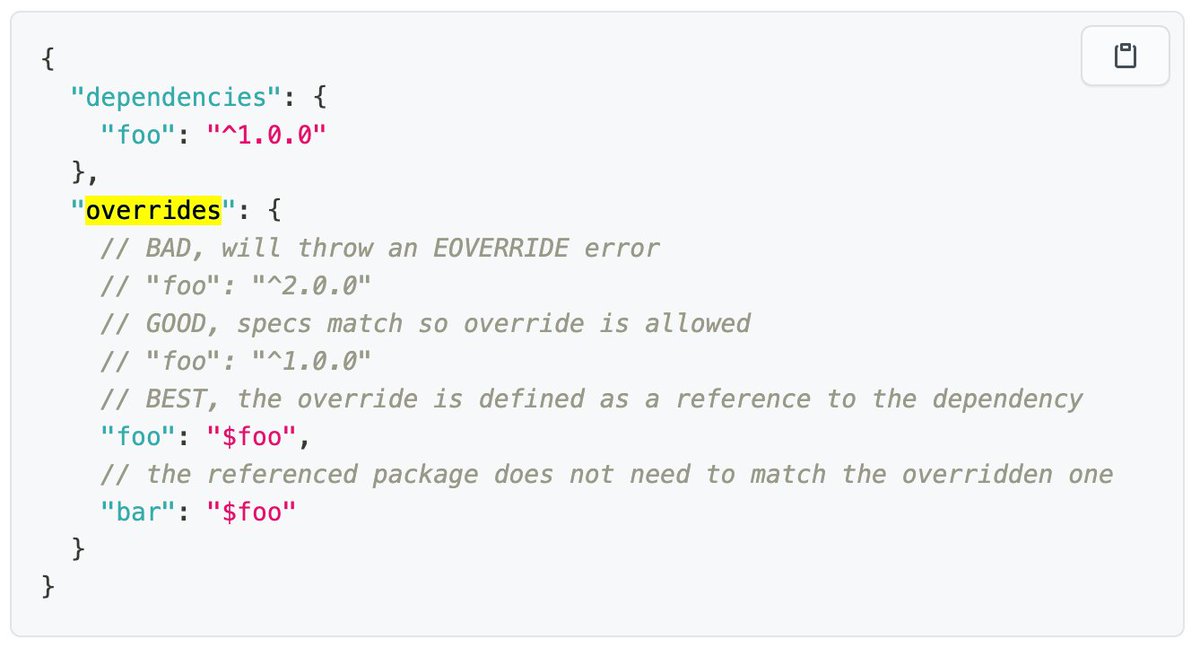
Woah, just learned you can tell npm to use the version of the package you have installed via $packagename.
This way you don't have to remember to update the version specified in overrides over time.