Tip: You can compare any two files using VS Code's slick native diff tool: 1
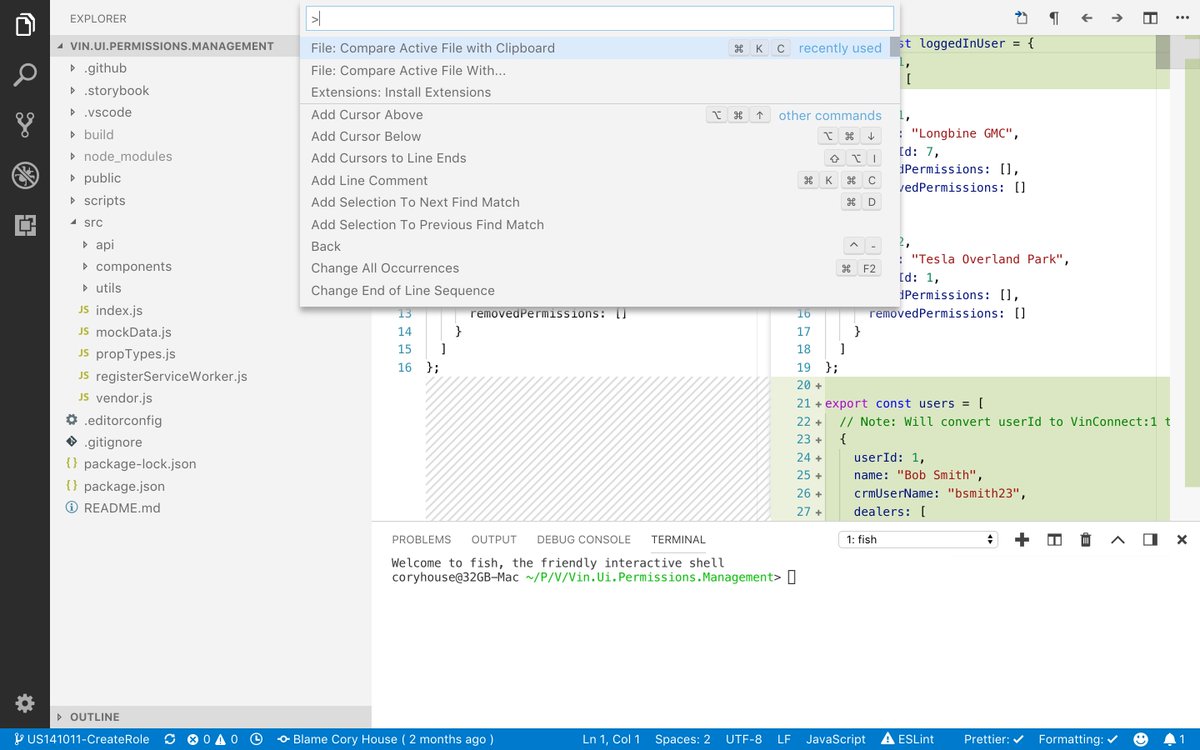
Tip: You can compare any two files using VS Code's slick native diff tool:
1. Open command palette (CMD+Shift+P)
2. Enter: "File: Compare active file with..."
3. VS Code will present a list of files to pick from.
Select the file and the built in diff tool is launched. 😎
And perhaps even better, you need not even have the file locally! Instead, just copy some code you wanna diff and pick "File: Compare with clipboard". 👍